Promotional offers like Buy One Get One Free, Buy One Get One Half Off, or 4-pack bundles are great ways to drive volume, but they require a slightly different setup than standard ticket pricing.
REMEMBER: Pricing Is Always Per Ticket
Even if your promotion is marketed as a bundle (like “BOGO” or “4 for $100”), the system still requires each ticket to have an individual price.
This means you’ll need to build the discount into the per-ticket price, rather than expecting the system to automatically apply a deal at checkout.
How to Set Up Promotional Pricing
All promotional offers should be created as new, separate pricings within your event.
These should be in addition to your existing standard ticket types, not replacements.
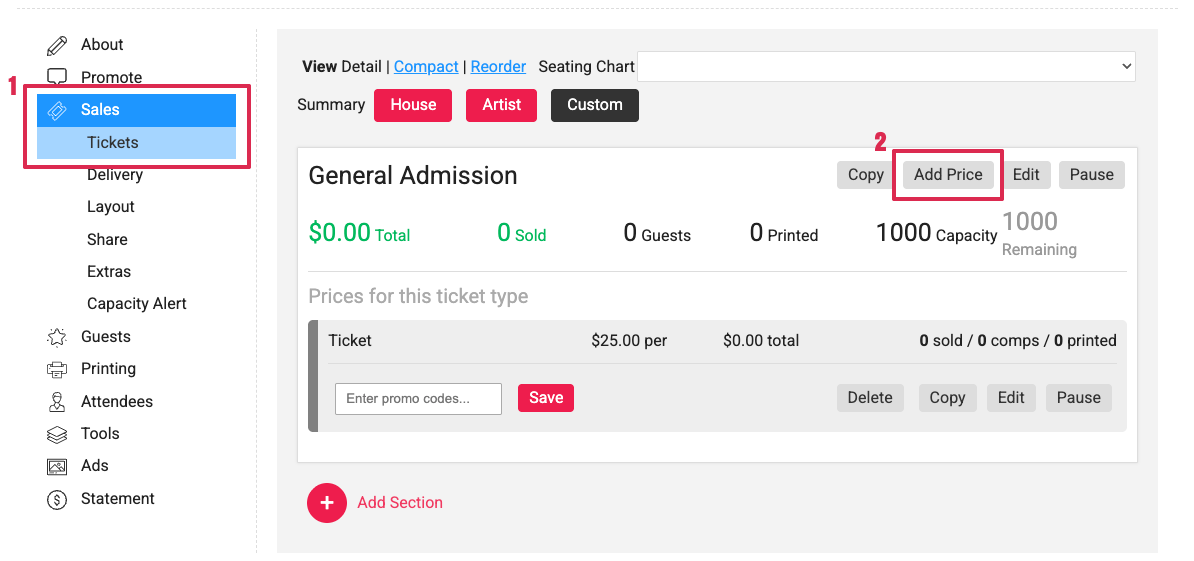
- On your event, find Sales; Tickets and find the Price Level or Ticket Type that you'd like to add the promotional offer to
- Click Add Price
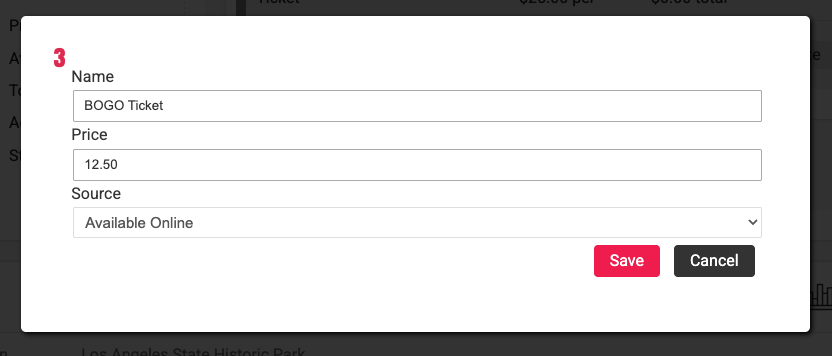
- Update the Name and Price of the offer and click Save (these can all be edited further)
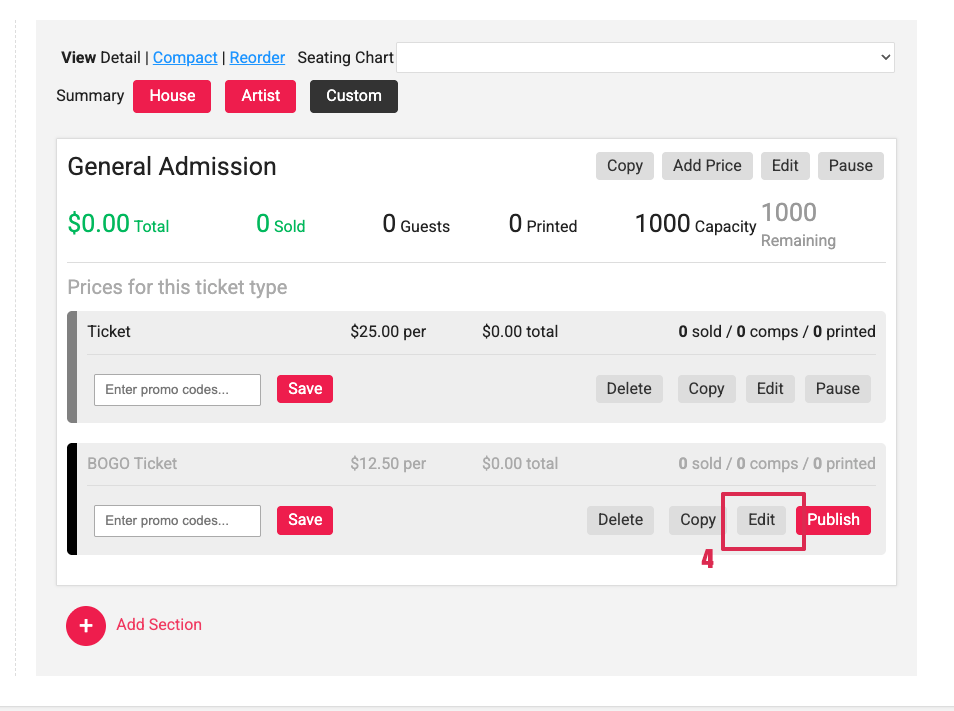
- Once the price is added, click Edit to update, add rebates, and add rules for the promotion
Once created, you will use Prekindle’s tools to control how the promotion works:
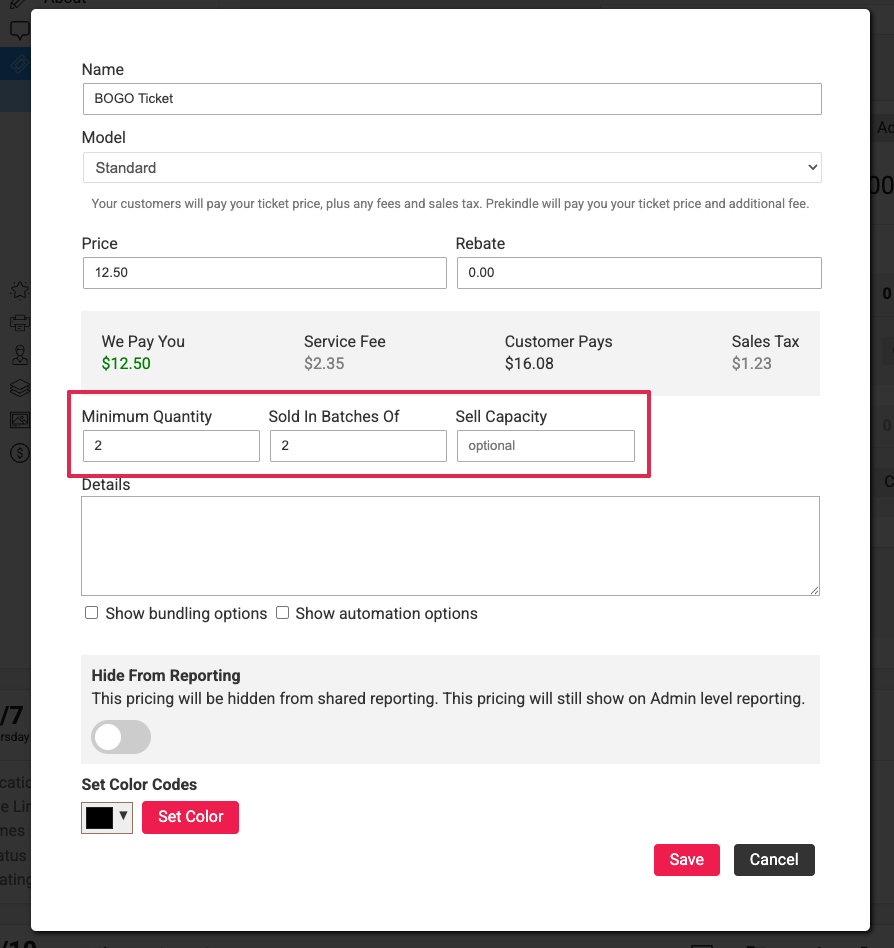
- Minimum Quantity to require the correct number of tickets per order (for example, 2 for BOGO or 4 for a 4-pack)
- Batching to group tickets together appropriately
- Sell Capacity to limit how many promotional tickets are available
These promotional pricings can be:
- Publicly available, or
- Locked behind a promo code

How to Structure Common Promotions
Buy One, Get One Free (BOGO)
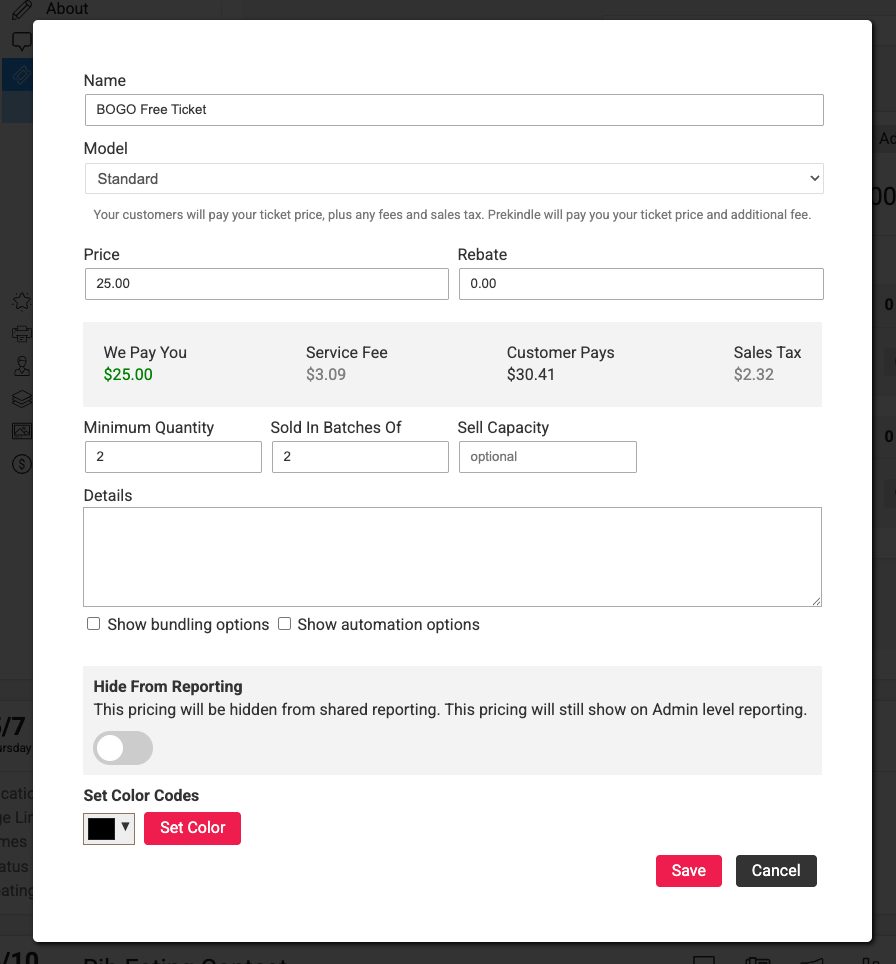
For a BOGO offer, the goal is to average the cost across two tickets.
- Example: A standard ticket is $50. A Buy One Get One Free pricing means 2 tickets are $50
- Pricing: Each ticket is priced at $25
- Minimum Quantity: 2
- Sold in Batches Of: 2
- Result: Customer pays $25 face value for each ticket, or a $50 face value for 2 tickets.
Buy One, Get One 50% Off
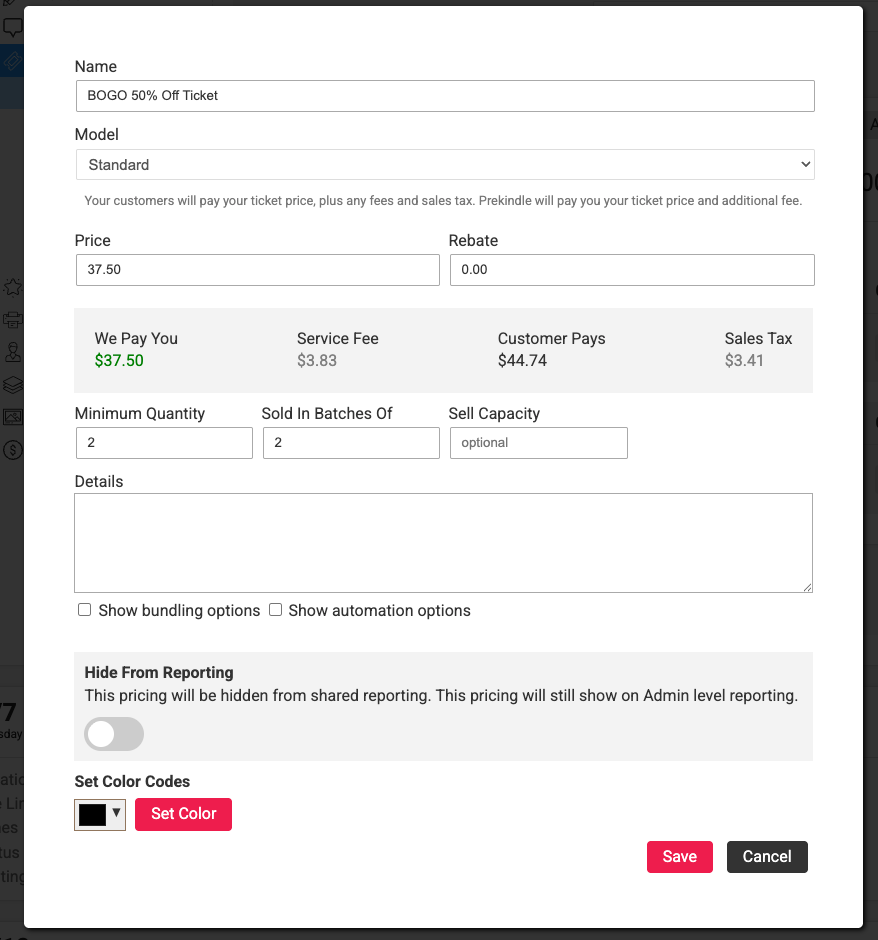
For a “half off” deal, you’ll again average the total across both tickets.
- Example: 1 ticket at $50, second at 50% off ($25) equals $75 total
- Setup: Each ticket is priced at $37.50
This ensures the correct total is reached when two tickets are purchased.
4-Pack Pricing
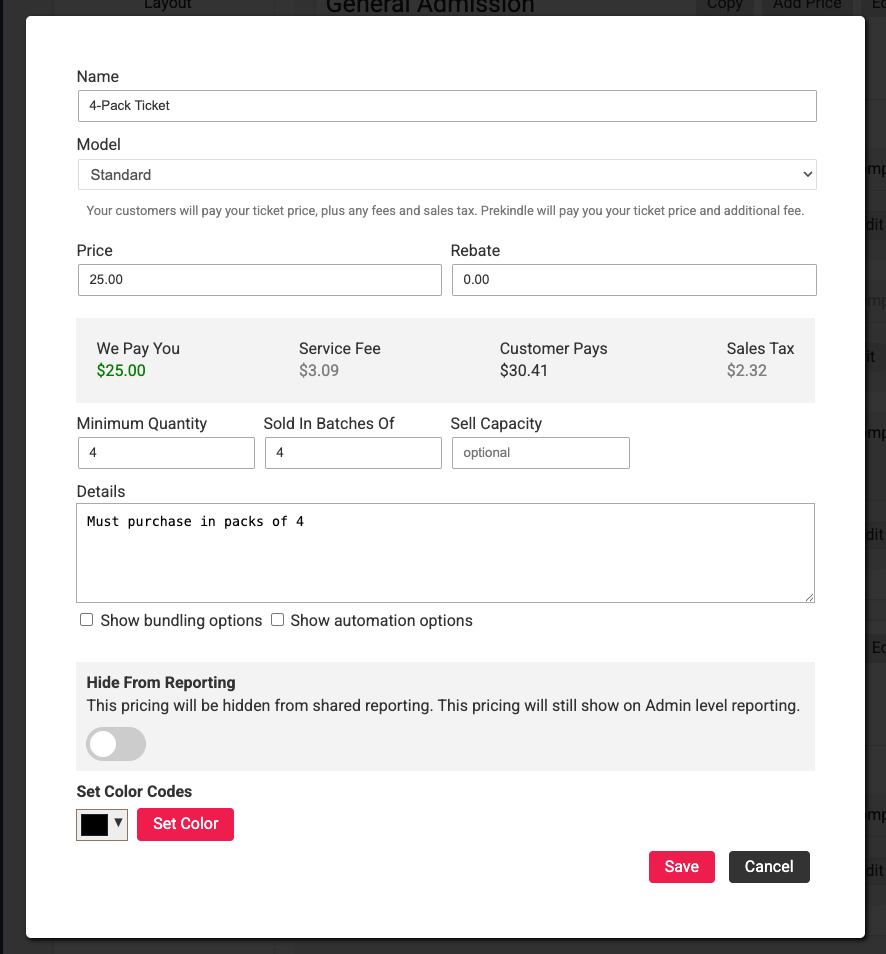
For bundle deals like a 4-pack, divide the total price across all tickets.
- Example: 4 tickets for $100
- Setup: Each ticket is priced at $25
Customers will need to select 4 tickets to receive the intended value.
Important Notes
- Promotional pricing must be created as separate ticket types
These sit alongside your standard pricing and should not replace your base ticket options. - Minimum purchase requirements are not enforced automatically without setup
Be sure to use minimum quantity and batching to ensure customers receive the intended deal. - Naming matters
Use clear ticket names like:- “BOGO Ticket (Must Purchase 2)”
- “4-Pack Bundle (Sold in Quantities of 4)”
- Pricings can be locked under promo codes if you'd like
Pro Tip
If you want tighter control over bundle enforcement, make sure all are aligned:
- Minimum quantity matches the promotion requirement
- Batching is configured correctly
- Details are included in ticket descriptions to provide instructions to customers
- Sell capacity reflects the total number of tickets allocated to the offer
- Promo codes if needed
Was this article helpful?
That’s Great!
Thank you for your feedback
Sorry! We couldn't be helpful
Thank you for your feedback
Feedback sent
We appreciate your effort and will try to fix the article