Event organizers can share sales figures, reports, and event information with non-Prekindle members. This allows invited users to access the information in real time using their own login credentials. Access is limited to the specific events that have been shared with you.
Logging In
- If you already have a Prekindle account:
Go to prekindle.com/login and log in using your email and password. - If you do not have an account yet:
You will receive an email letting you know that event or report access has been shared with you.- This email will include a temporary password.
- Use the temporary password to log in, then update your password to something secure.
Navigating to Shared Information
Once logged in:
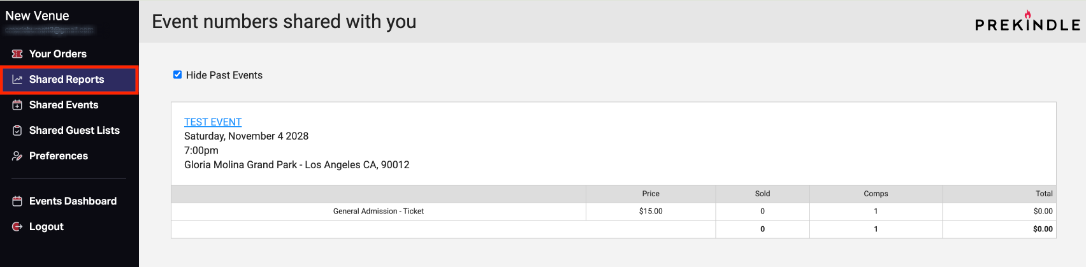
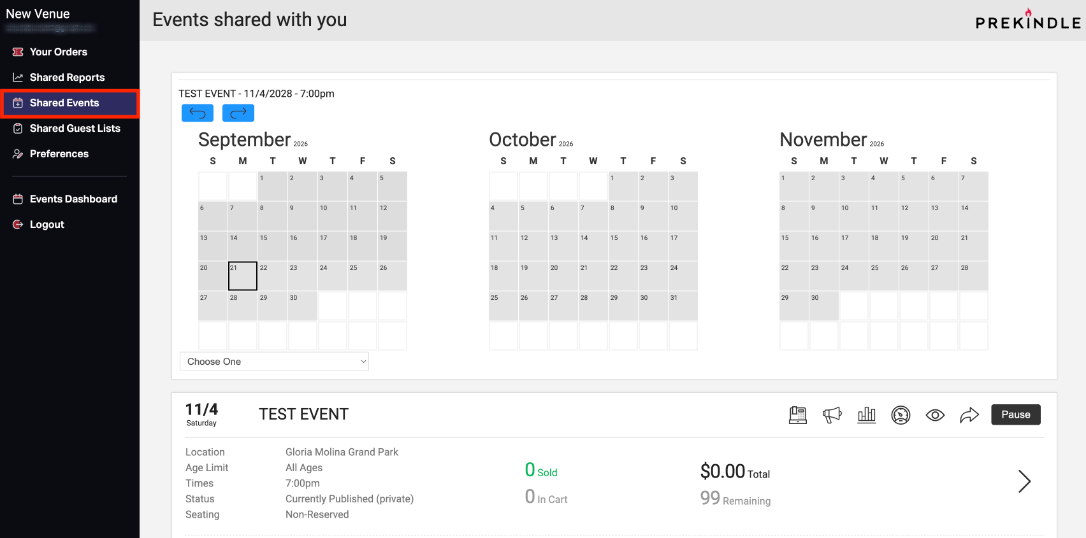
- Select Shared Numbers or Shared Eventsfrom the left side menu.
- Shared Numbers: View the sales figures that have been shared with you.
- Shared Events: View the event information that has been shared with you.
If you do not see these options:
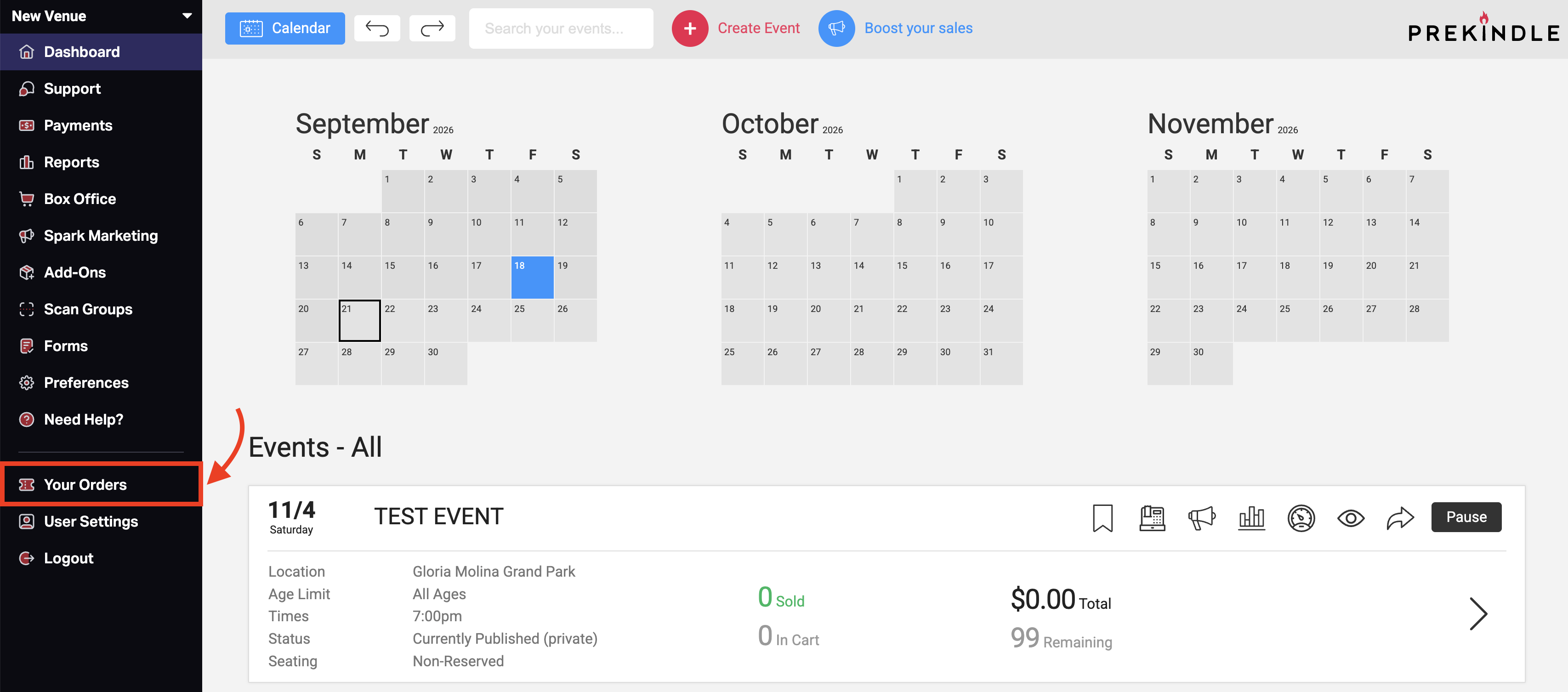
- You are likely in a client view.
- To switch to the shared view, click Your Orders. This will reveal the alternate menu with Shared Numbers and Shared Events.
Support for Event or Report Details
Prekindle provides access to the shared data but cannot answer event-specific questions.
For details about sales figures, event logistics, or other event-specific information, please contact the venue or event organizer directly.
Was this article helpful?
That’s Great!
Thank you for your feedback
Sorry! We couldn't be helpful
Thank you for your feedback
Feedback sent
We appreciate your effort and will try to fix the article