If you have created and stored a template for an event, you can use that template to quickly create events with a similar setup.
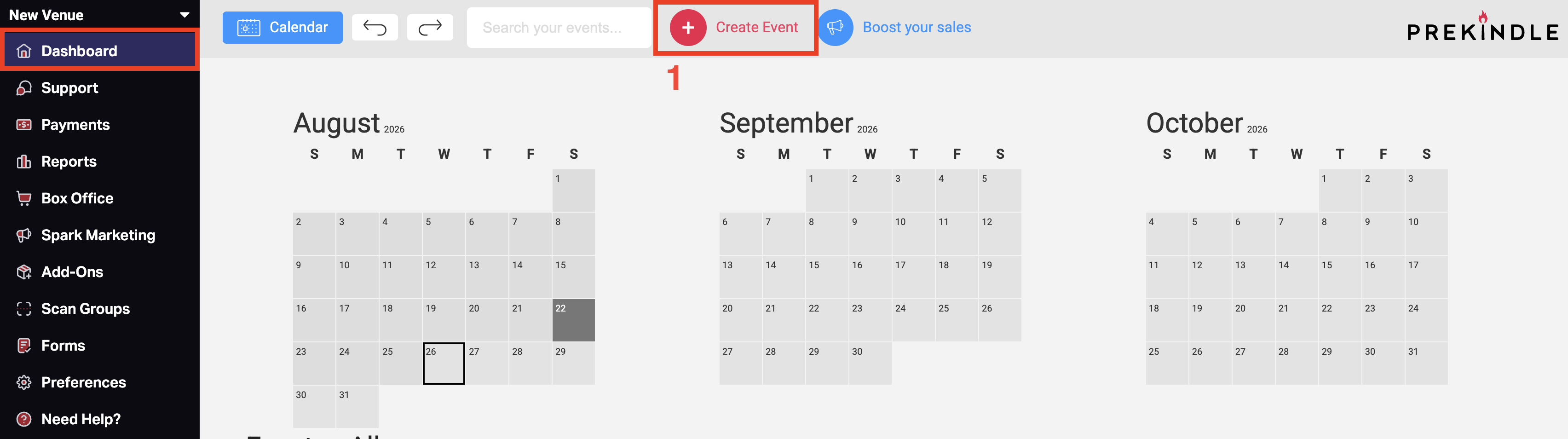
Make sure you are viewing your account dashboard by clicking the Dashboard tab in the left side navigation panel.
- To use an event template, click the Create Event button on your Prekindle dashboard.
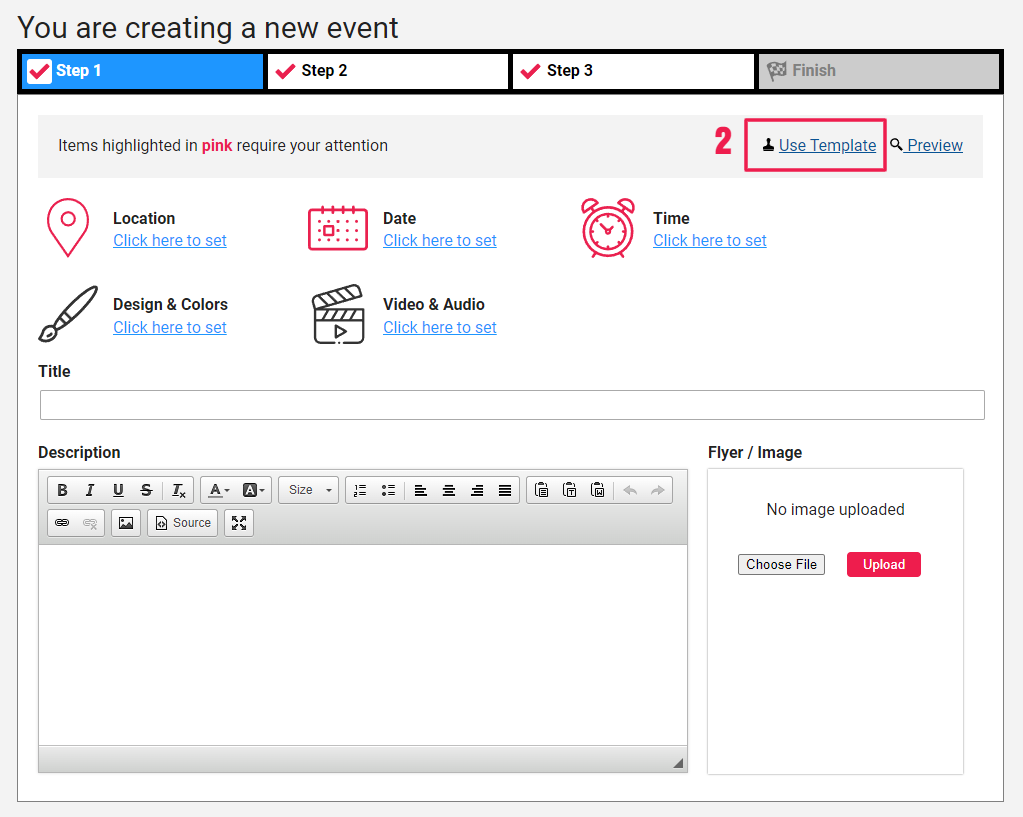
- Once you are in the Event Creation Wizard, click the Use Template link at the top right of the box.
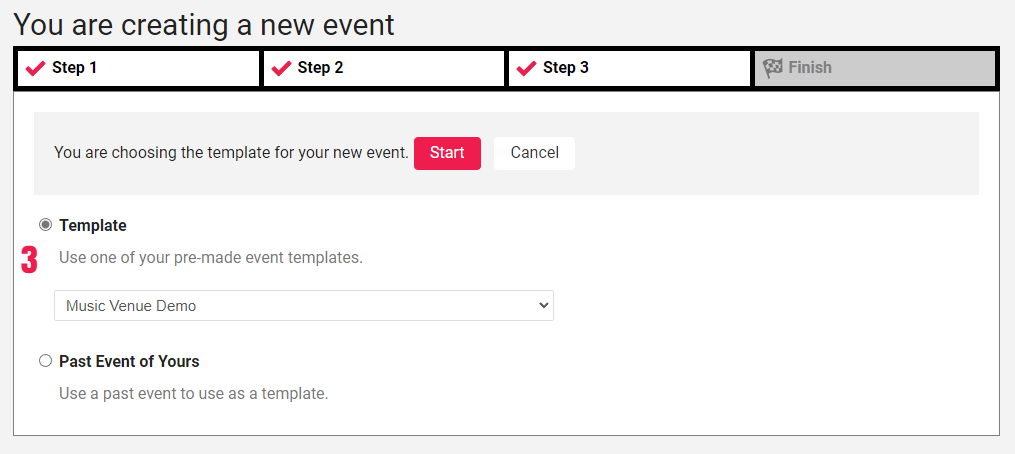
- Choose a template from your saved, pre-made templates, OR
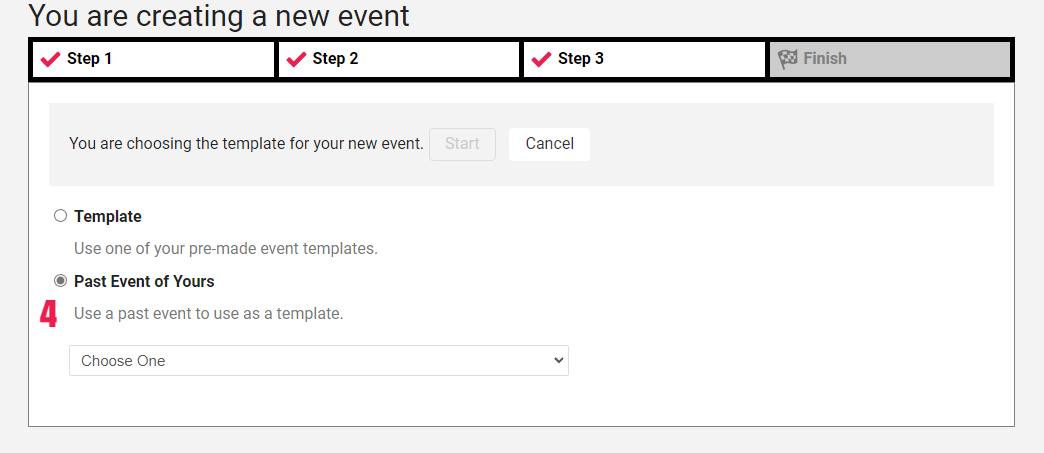
- Choose a past event to use as a template.
If you have trouble using a template when creating your event, contact clients@prekindle.com.
Was this article helpful?
That’s Great!
Thank you for your feedback
Sorry! We couldn't be helpful
Thank you for your feedback
Feedback sent
We appreciate your effort and will try to fix the article