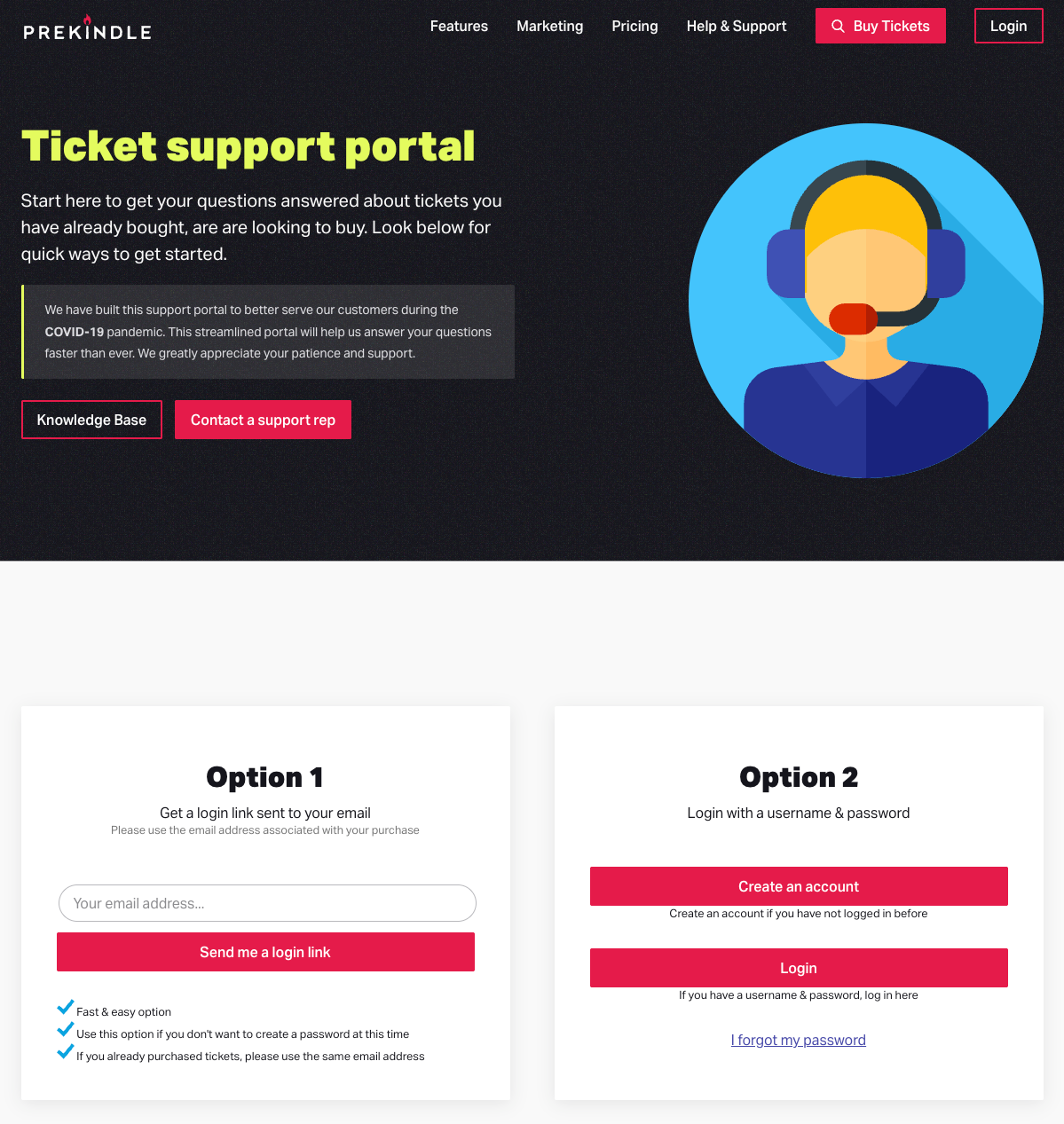
Log in at prekindle.com/support/portal with the email you used at checkout, then click Your Orders. From there you can get your tickets, resend your receipt, change the will call name, or get help with an order.
Step 1: Log in
| Option | How it works |
|---|---|
| One-time login link (recommended) | Enter the email from your purchase and we'll email you a login link. No password needed. |
| Create an account with a password | Set a password so you can log in from any device. Click the link in your activation email to finish. |
Already have a password? Log in at prekindle.com/login. Forgot it? Reset it at prekindle.com/forgotpassword.
Step 2: Open Your Orders
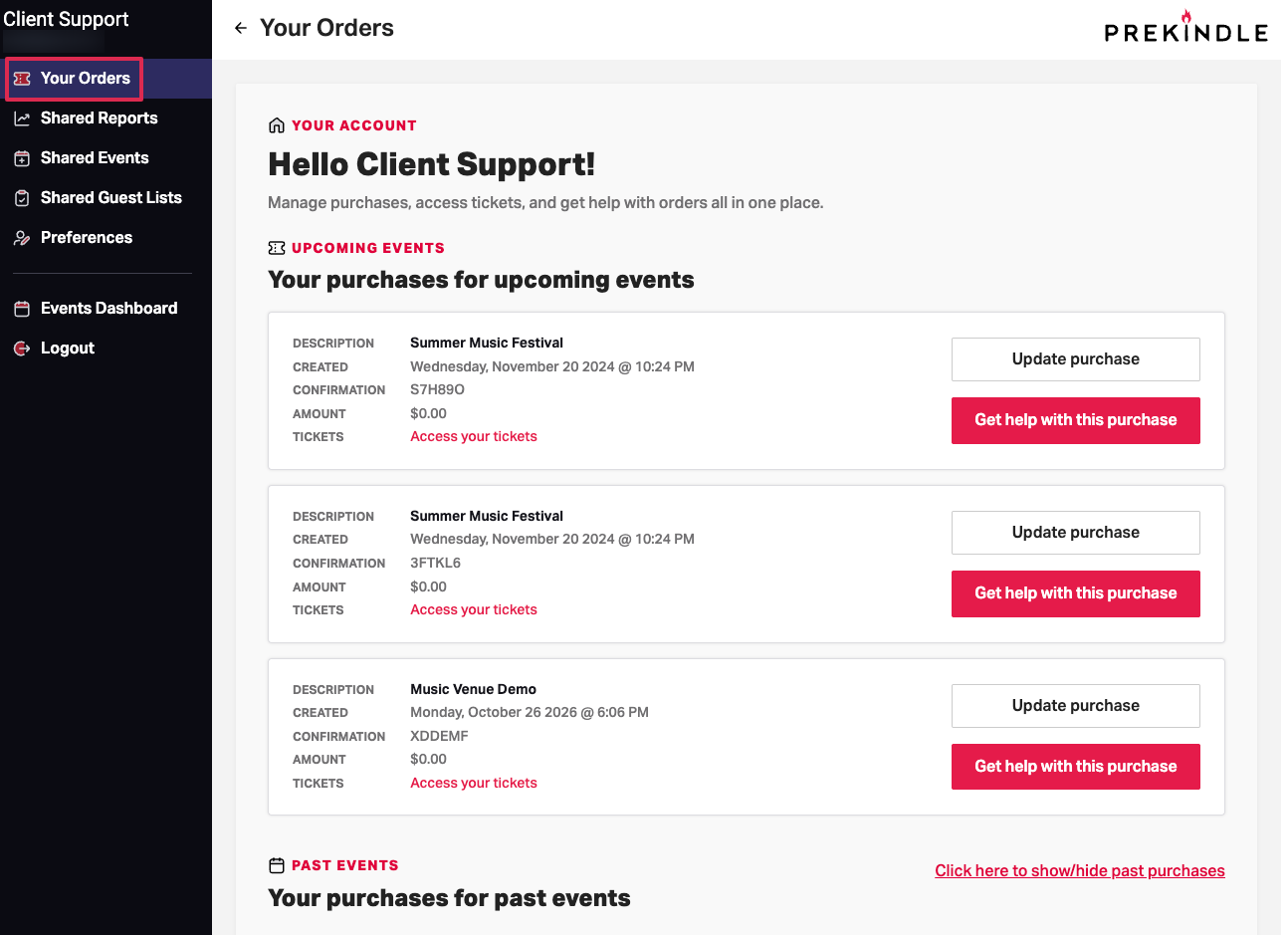
Click Your Orders in the menu. Upcoming events are listed first. For events that already happened, click Show/hide past purchases.
Step 3: Choose what you need
| I want to… | Click |
|---|---|
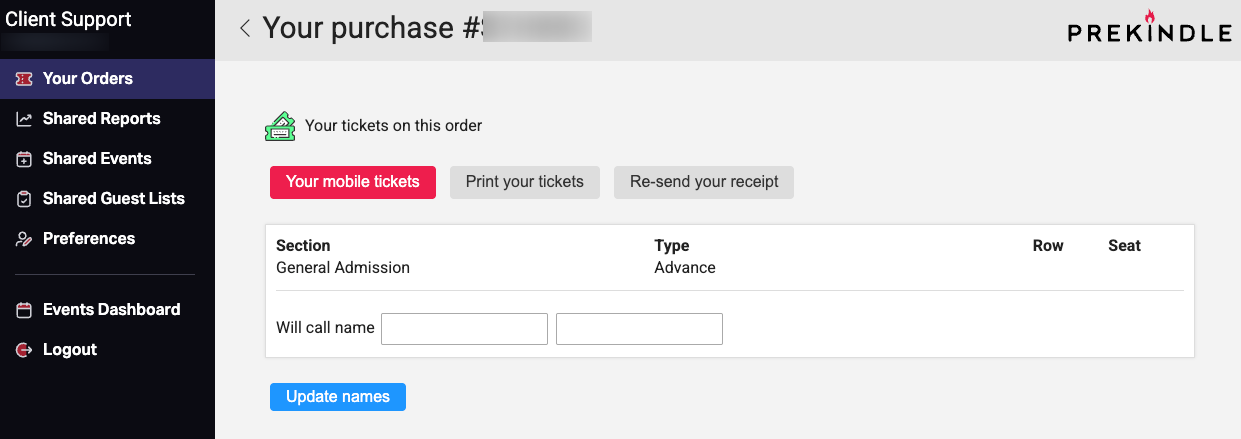
| Show my tickets on my phone | Update purchase → Your mobile tickets |
| Print my tickets | Update purchase → Print your tickets |
| Get my receipt again | Update purchase → Re-send your receipt |
| Change who picks up at will call | Update purchase → type the new name → Update names |
| Get help with this order | Get help with this purchase |
| Ask about something else | Start a new help request |
| Change the name on my account | Preferences in the menu. See How do I add or change the name on my account?. |
Good to know
- Don't see an order? Orders are tied to the email used at checkout. If you used a different email, log in with that one. Each email is its own account, and the email on an account can't be changed.
- No mobile or print buttons? The event either uses Delayed Delivery (tickets arrive 24 hours before showtime) or is will call only (pick up at the venue). See When will I get my Delayed Delivery tickets?.
- Will call name changes close 12 hours before the event starts. Guest list and complimentary ticket names can't be changed, and some events don't allow name changes at all.
- You don't need an account to buy tickets. You only need to log in to manage an order.
Still need help? Log in with the email you used at checkout so we can find your order quickly.
Contact Prekindle SupportWas this article helpful?
That’s Great!
Thank you for your feedback
Sorry! We couldn't be helpful
Thank you for your feedback
Feedback sent
We appreciate your effort and will try to fix the article