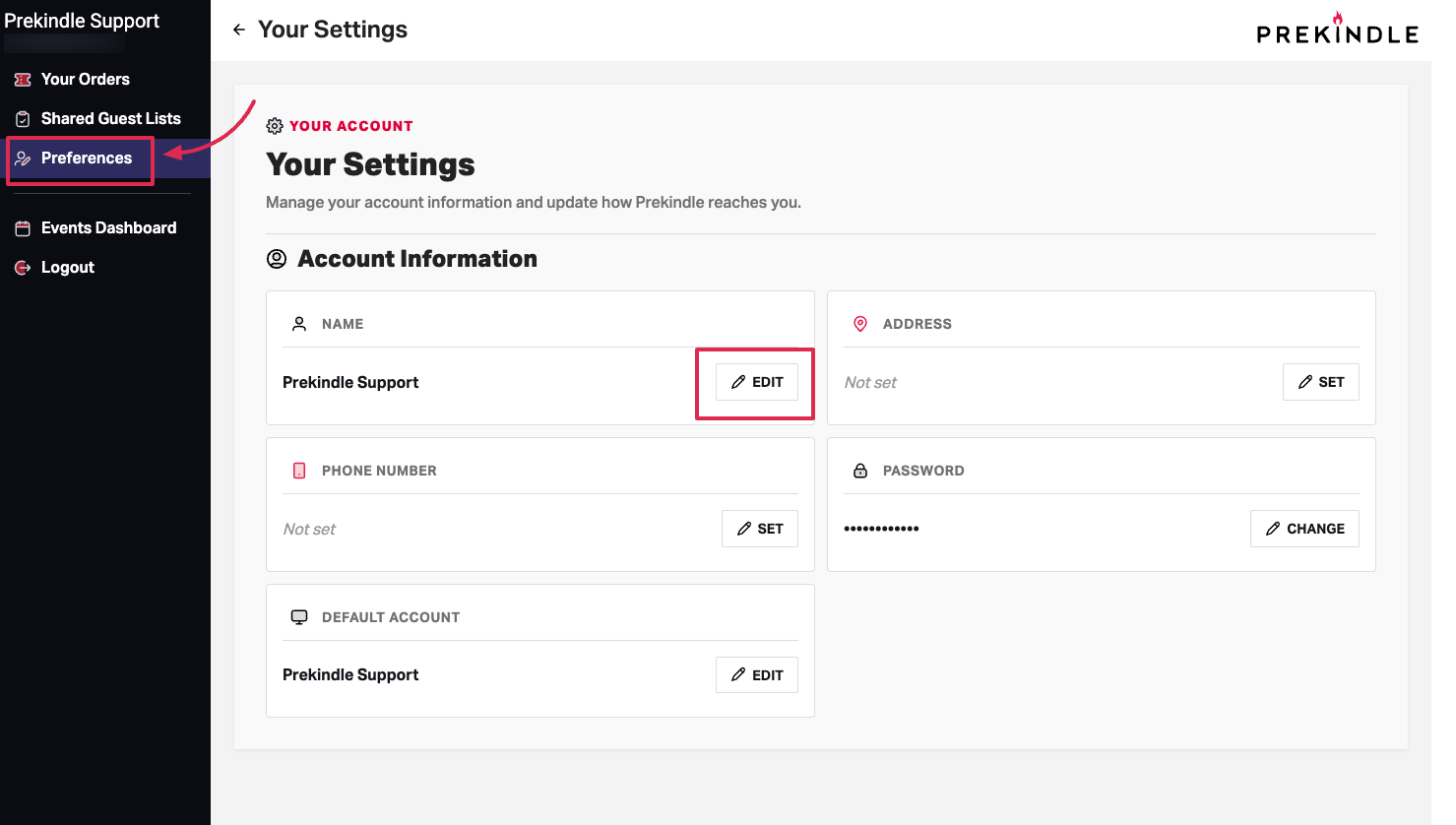
Add or update your name in the Preferences tab of your Prekindle account. It takes less than a minute.
Update your account name
| 1 | Log in at prekindle.com/login, or use the one-time login link from prekindle.com/support/portal. |
| 2 | Click the Preferences tab. |
| 3 | Enter or update your name in the name fields. |
| 4 | Click Save. Your account name is updated. |
Account name vs. will call name
What does my account name change?
Your whole Prekindle account, and the tickets you buy from now on.
Does it change the will call name on tickets I already bought?
No. Each event's will call name is set per order and can be different from your account name. To change who picks up, see Can I change the name on my tickets?
Still need help? Log in with the email you used at checkout so we can find your order quickly.
Contact Prekindle SupportWas this article helpful?
That’s Great!
Thank you for your feedback
Sorry! We couldn't be helpful
Thank you for your feedback
Feedback sent
We appreciate your effort and will try to fix the article