Overview
This article explains how payouts work on Prekindle, how to set up your payment preferences, and what to expect before your first payout.
Before Your First Payout
Set Up Your Payment Preferences
To receive payouts from Prekindle, you must enter and confirm your payment information in your account settings.
- Access Payment Preferences
In your Prekindle dashboard, go to Settings, then select How do we pay you? - Enter Your Bank or Payment Details
- Review and Confirm
Before your first payout, Prekindle will contact you through the platform to confirm and approve your payment information. This confirmation step must be completed before funds can be released.
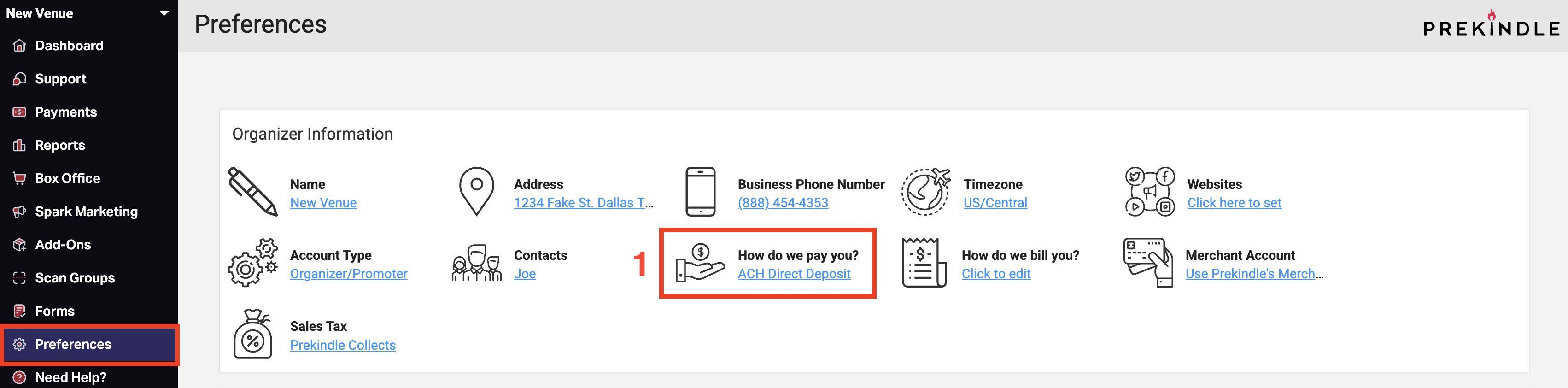
Important: You will never be required to enter your payment information outside of the Prekindle platform.
Updating Your Payment Information
If you need to update your payment details after they have been entered, your account may be locked for security. If this happens, contact clients@prekindle.com to request that your account be temporarily unlocked so you can make updates.
How Payouts Work
When You Get Paid
Payouts are processed automatically according to the payout schedule set by Prekindle. This is typically the Monday following the event. Once your payment information is confirmed and approved, funds from ticket sales will be sent through your designated payment method.
Payout Timing
Payments are typically released after ticket sales settle on the Monday following the event. Banks may hold payments in a pending state for 24 to 48 hours, so funds may not appear in your account until Tuesday.
If your payout falls on a holiday, you will be paid on the next business day.
Payment Information
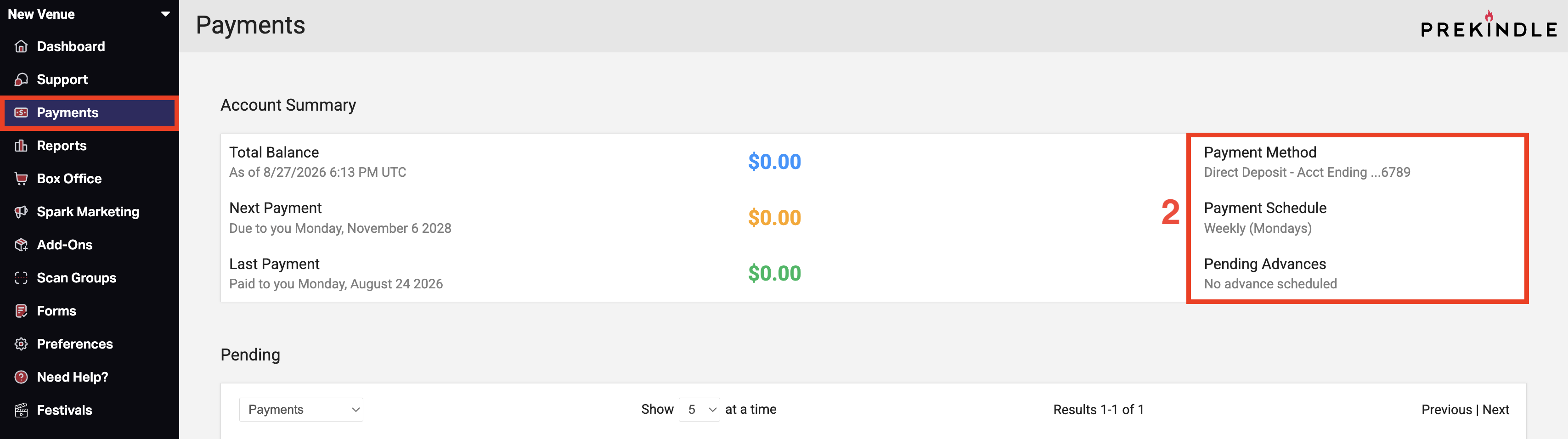
You can check your account summary by clicking the Payments tab in the left side navigation panel. Here, you can see how your events are set up to be settled and check the status of any pending events.
Helpful Notes
- Your payment preferences must be complete and approved before funds can be released.
- Prekindle will contact you via phone or email to verify your payment information before your first payout.
Need to Change Your Payment Details?
If you need to update your payment information after it has been entered, contact clients@prekindle.com to have your account temporarily unlocked. Once the account is unlocked, you can make the necessary changes in Payment Preferences.
Summary Checklist
- Enter your payment information in Payment Preferences before your first payout.
- Confirm your payment details when contacted by Prekindle.
- Do not enter payment information outside of the Prekindle platform.
- Contact clients@prekindle.com if you need to update your payment details and your account is locked.
Was this article helpful?
That’s Great!
Thank you for your feedback
Sorry! We couldn't be helpful
Thank you for your feedback
Feedback sent
We appreciate your effort and will try to fix the article