Access Codes let you give specific buyers access to specific tickets without building a separate pricing structure for each group. Assign one code across multiple pricings, cap how many tickets it can sell, schedule when it's active, and see exactly how it performed.
Before you start: Make sure you are logged in to your Prekindle dashboard. Access Codes is an add-on feature. To have it added to your account, contact clients@prekindle.com.
Access Codes VS Promo Codes.
Access codes work like promo codes, but add multi-pricing support and scheduling.
Use a promo code for a quick, one-off hidden price. Use an access code when the same group needs access to several prices, a limited capacity, or a set sales window.
Creating an Access Code
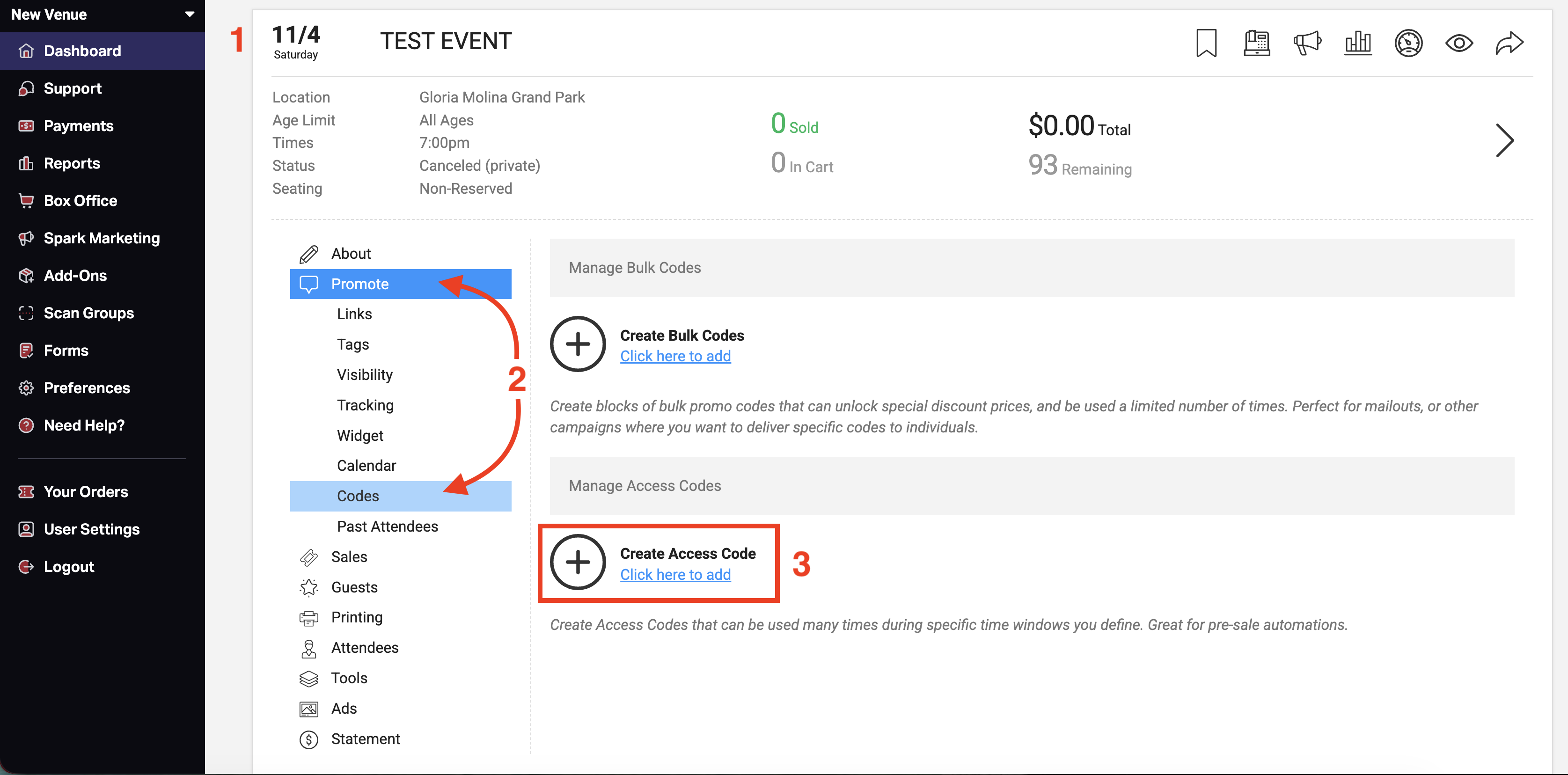
- Click the event to open the event tools.
- Go to the Promote tab, then select Codes.
- Under Create Access Code select Click here to add.
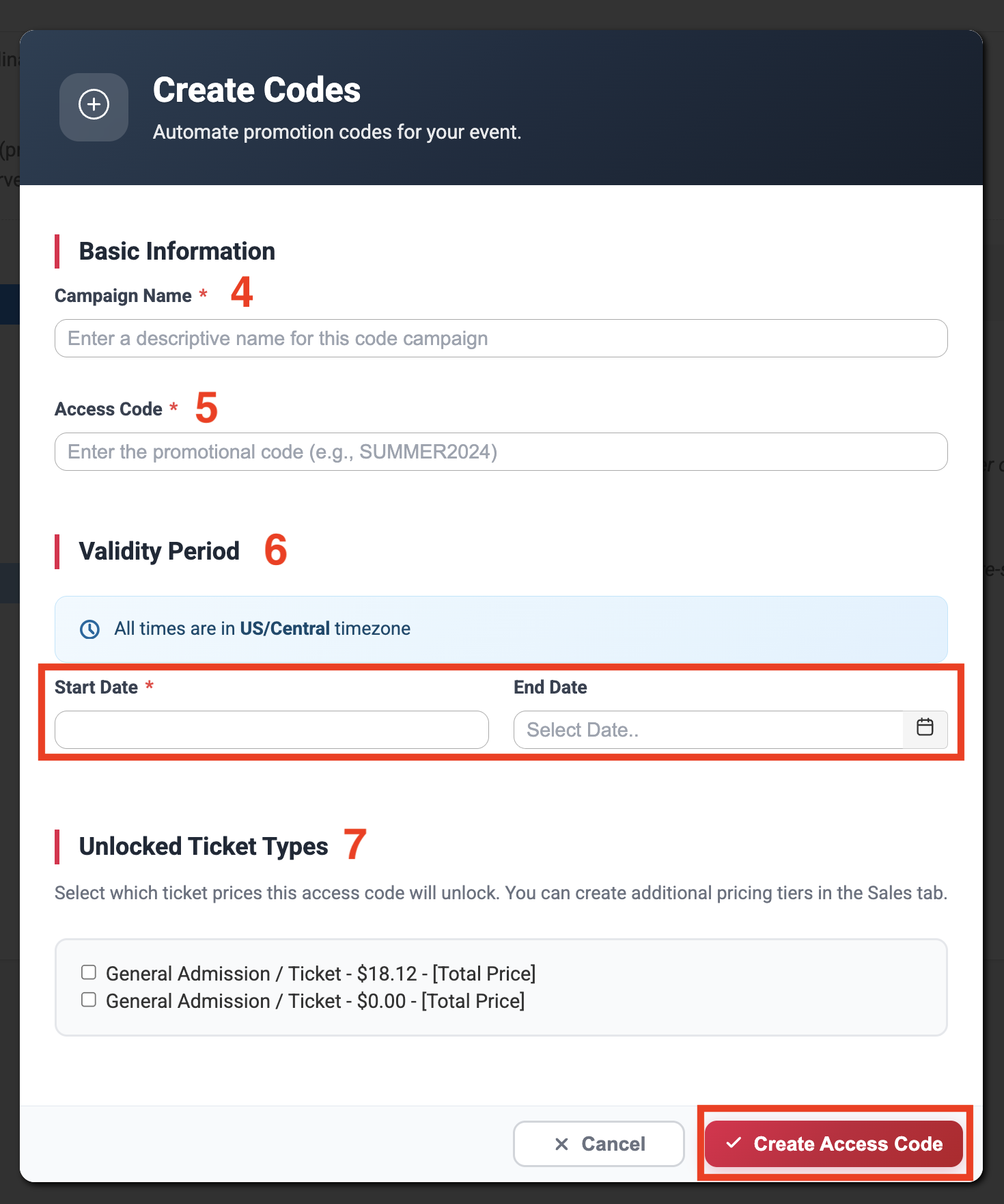
4. Enter an Campaign Name. This is internal only and helps you identify the code in reports (for example, "Fan Club Presale" or "Giveaway"). Buyers never see it.
5. Enter the Access Code. This is what buyers type to unlock the prices (for example, FANCLUB26). Keep it easy to type and share.
6. Set Validity Period with a Start Date and End Time to control when the code works.
7. Select the pricings this code will unlock.
8. Click Create Access Code.
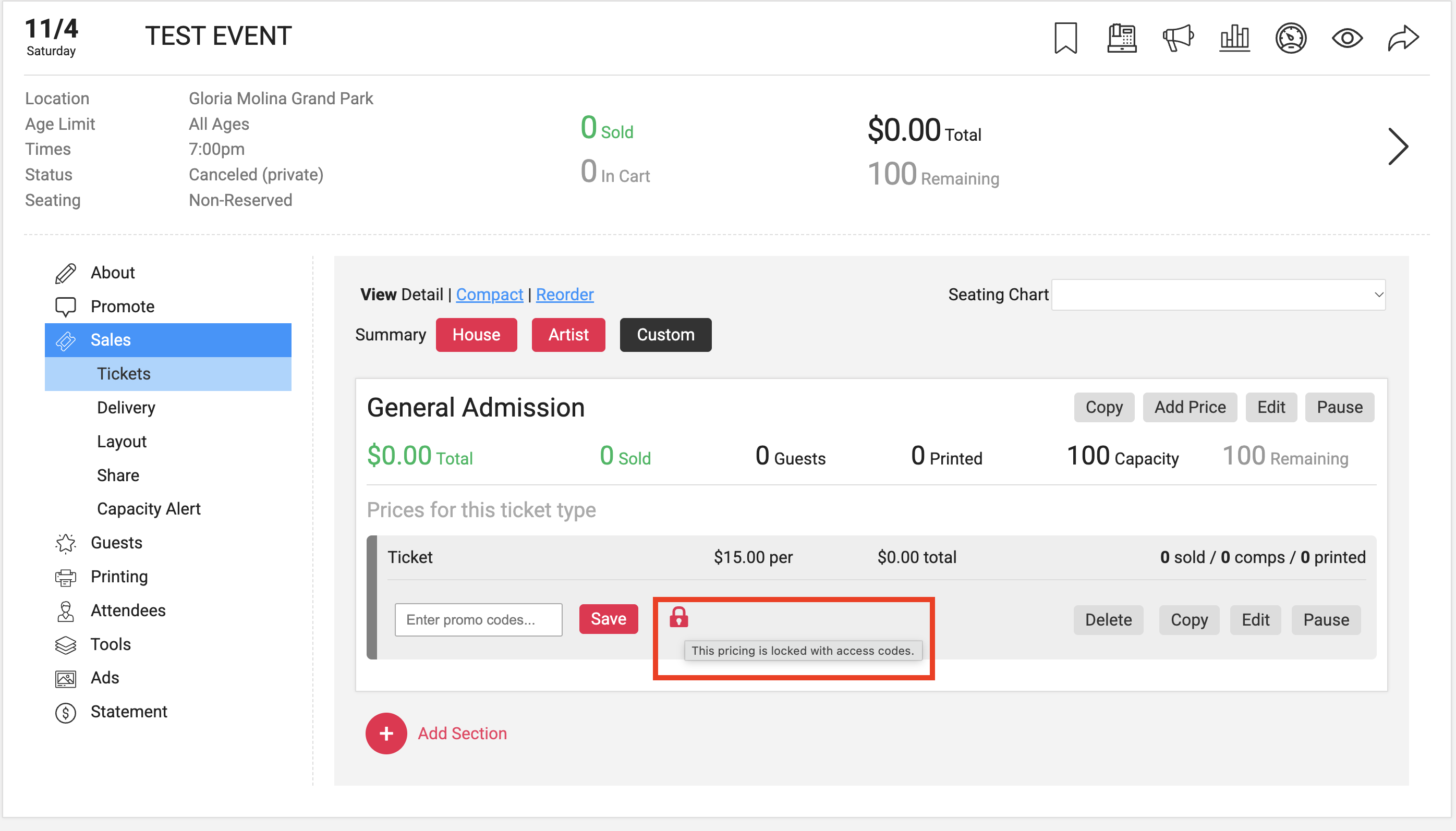
After You Create an Access Code
Pricings show an access code icon. Any pricing assigned to an access code displays an icon on your Tickets or Sales page so you can tell at a glance which prices are gated.
Note: Codes can not be edited after applied to a pricing. But the name, validity period, and selected pricing can be updated. You will need to delete and recreate a code if you are needing to change it.
Where do I find the code in reporting?
Go to the Reports tab on the event and they can be found in:
- Manifest w Fees
- Manifest w/out Fees
- Promo Code Usage
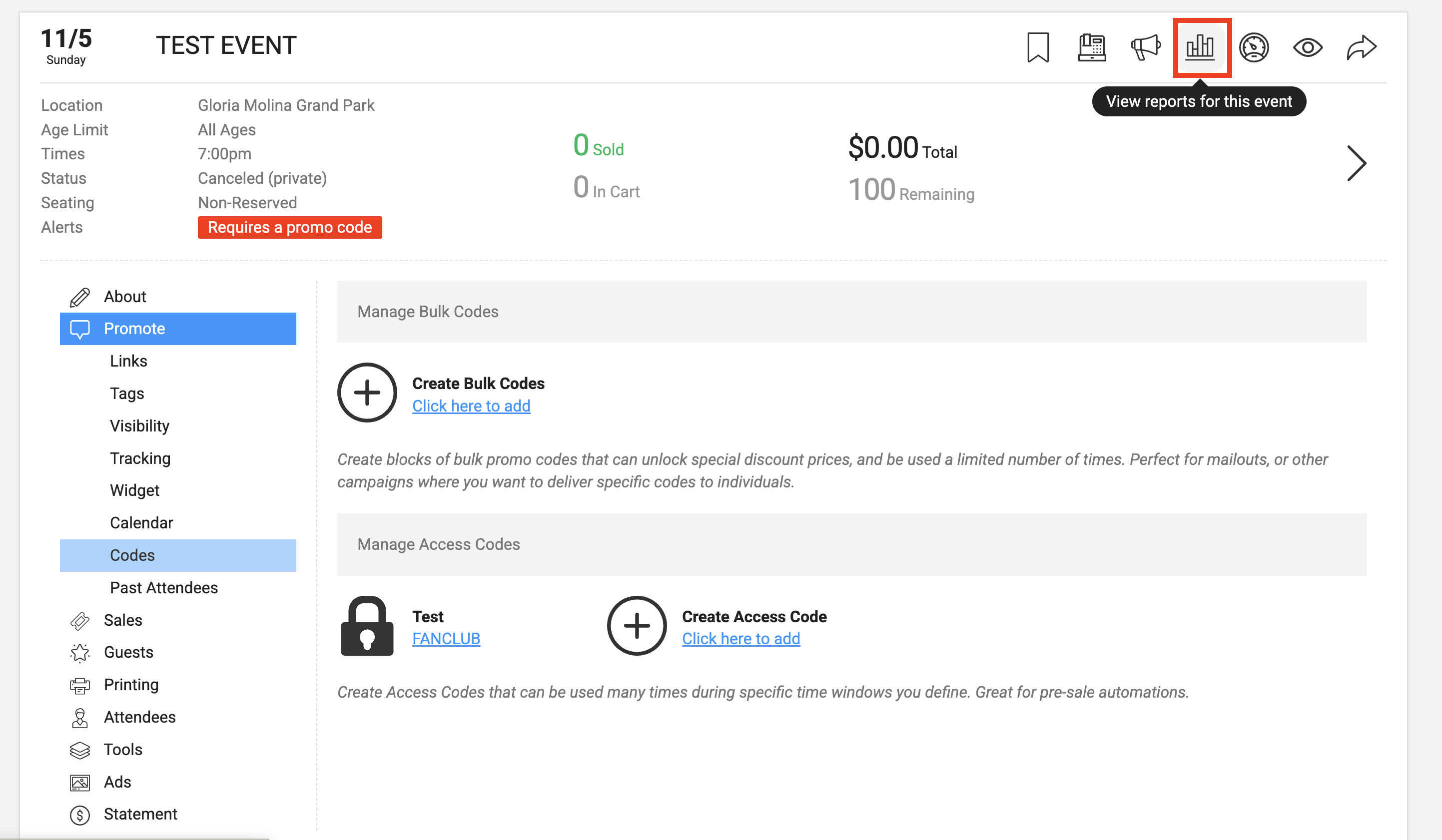
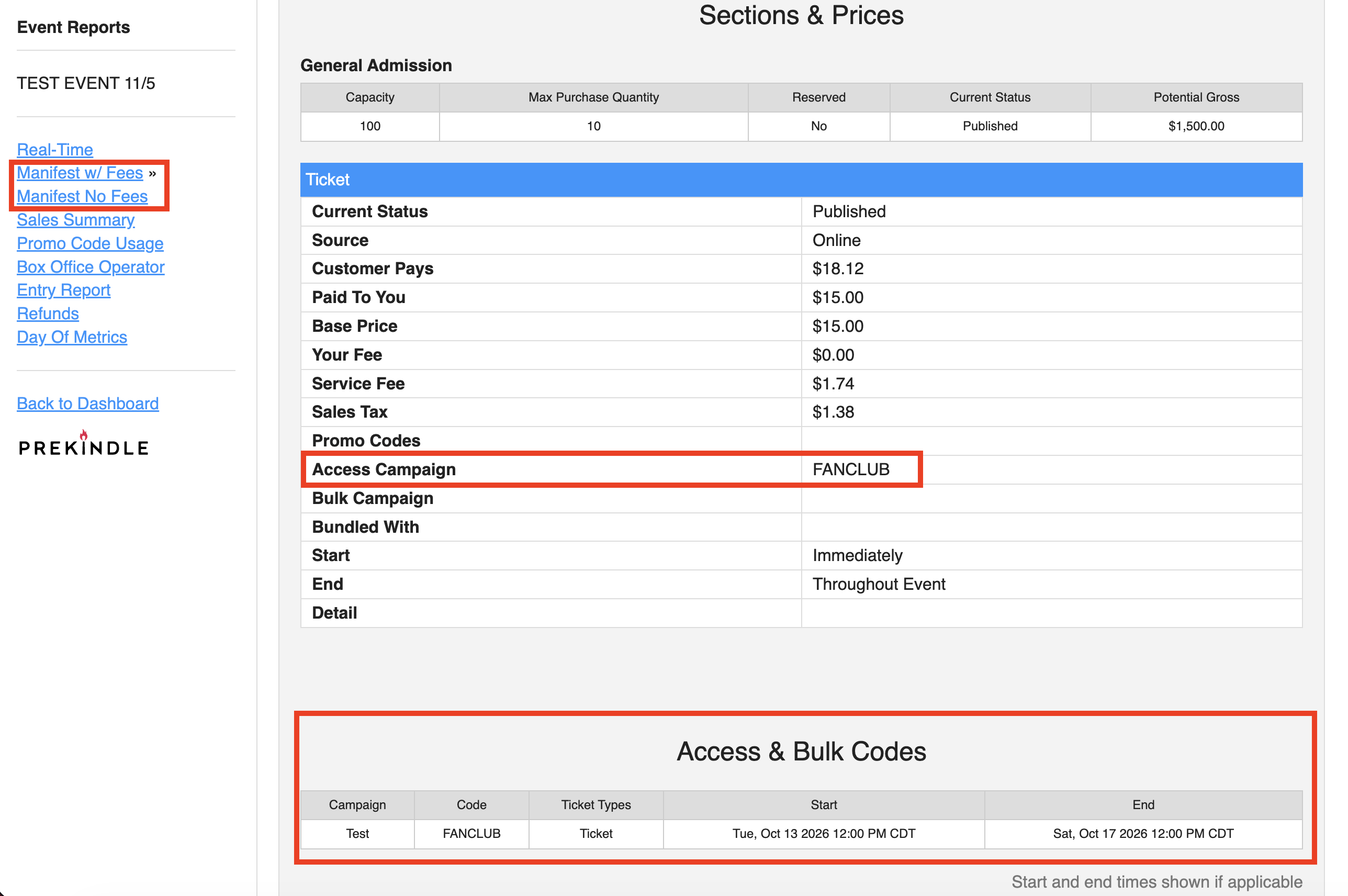
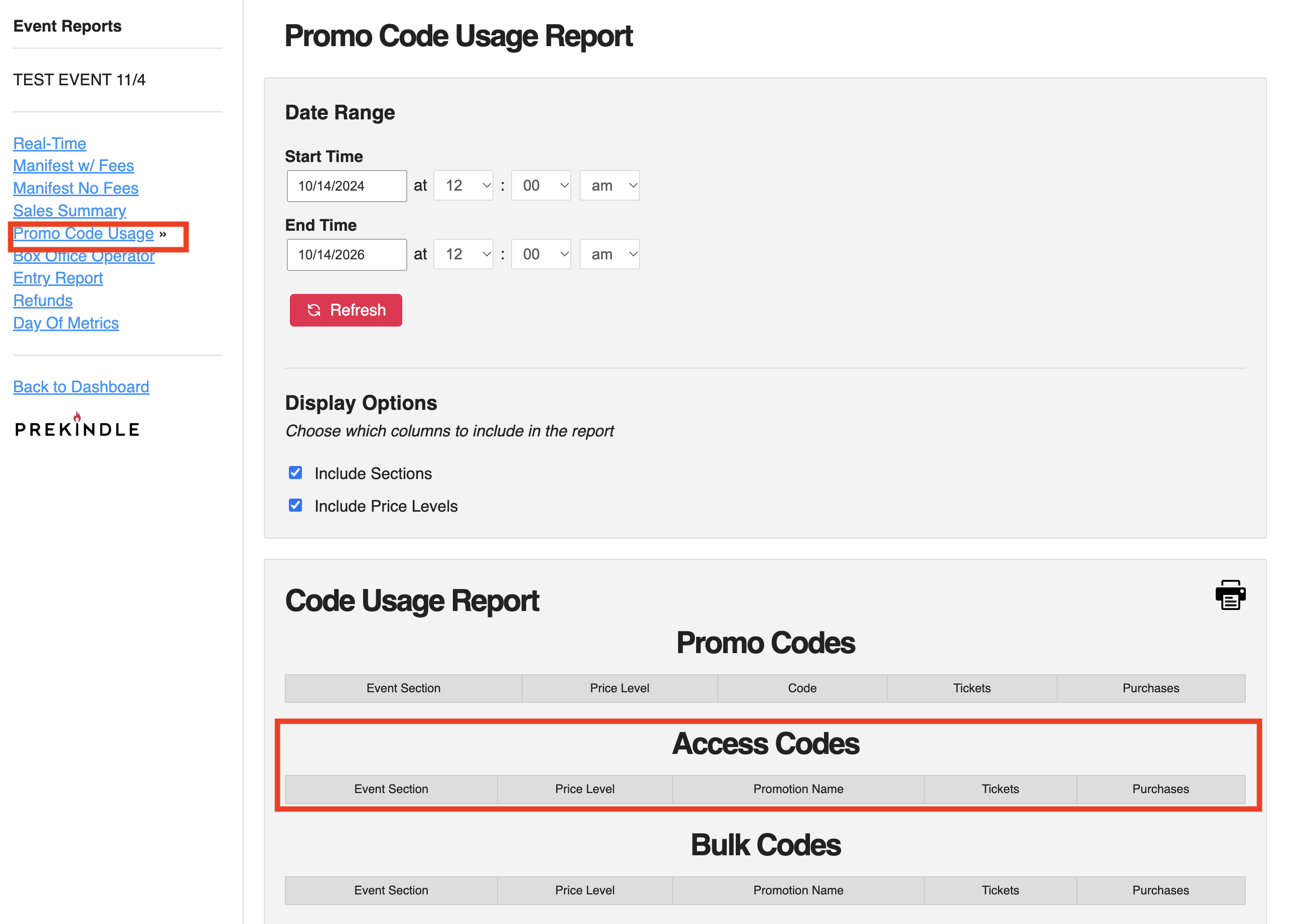
Codes can also be found in the:
- Master Report
- Reports > Misc. Reports. > Promo Codes
If you have any problems created access codes, please contact clients@prekindle.com.
Was this article helpful?
That’s Great!
Thank you for your feedback
Sorry! We couldn't be helpful
Thank you for your feedback
Feedback sent
We appreciate your effort and will try to fix the article