Some event organizers choose to enable Delayed Delivery for their events. This means your tickets won’t be available right away. Instead, they’ll be sent 24 hours before the event’s start time or showtime.
Here’s everything you need to know about how this works and what to do if you can’t find your ticket.
What Is Delayed Delivery?
When Delayed Delivery is turned on:
- Tickets are not sent at the time of purchase.
- Delivery begins exactly 24 hours before the event start time or showtime.
- Delivery may take up to 30 minutes to complete once it begins.
What You’ll See at Checkout
Right after checkout, you'll receive a confirmation that your order is complete, along with this message:
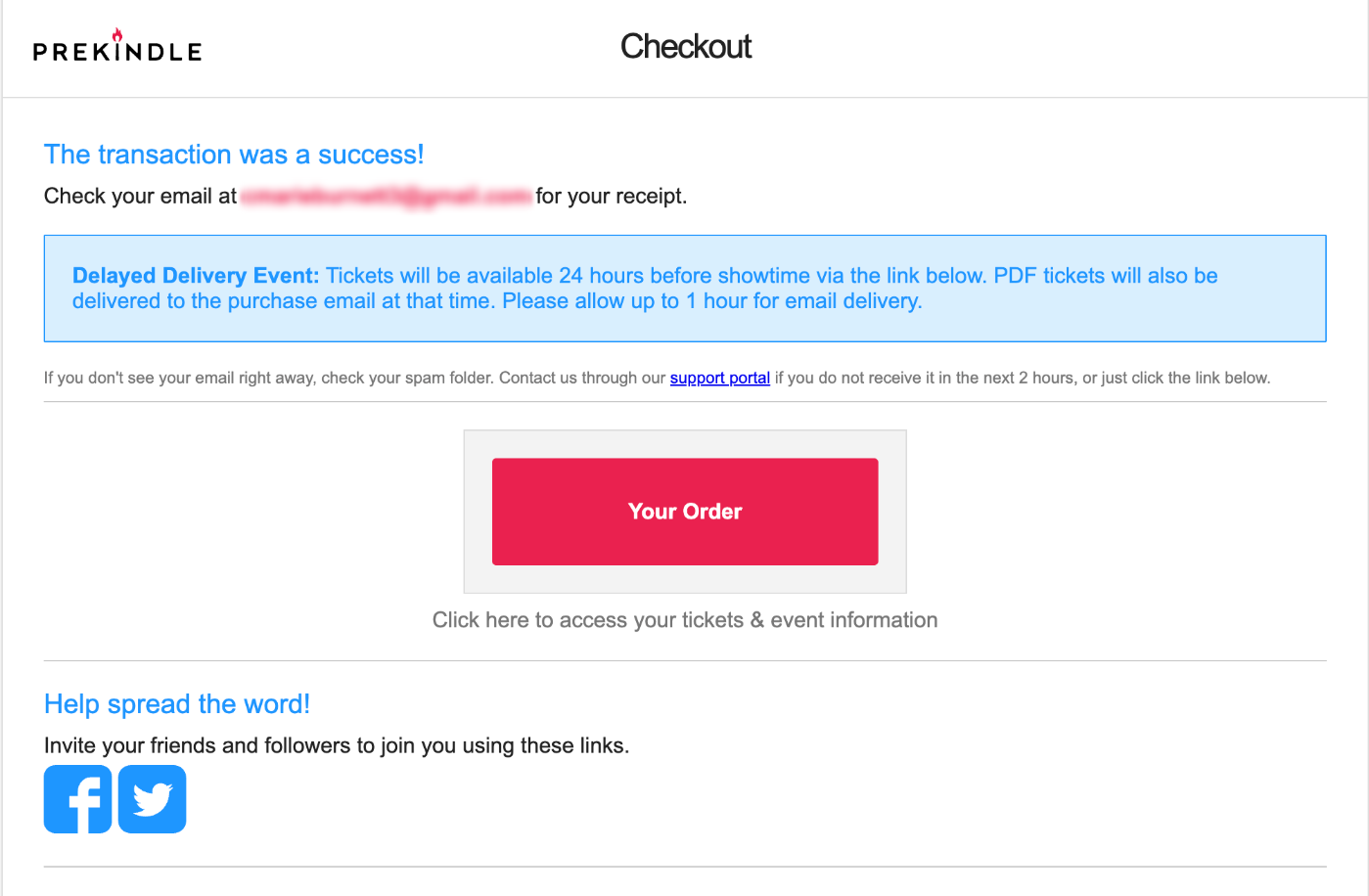
What You’ll See in your Receipt
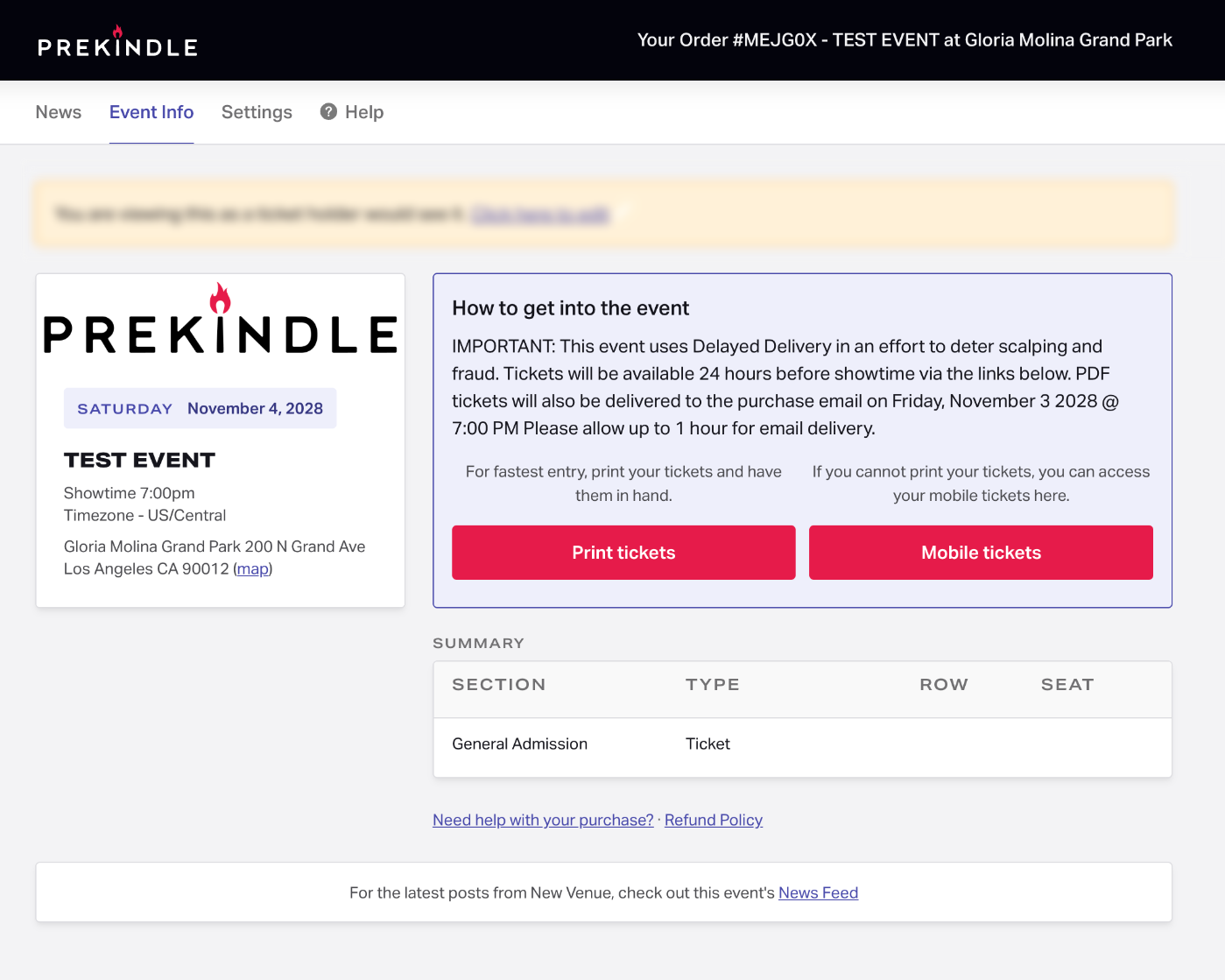
Your receipt will look like a standard Prekindle receipt. However, there will be no PDF attachment containing your tickets. You will see a red "Your Order" button, much like on the checkout page, which will direct you to the Event Info page.
Until the delayed delivery tickets are available, the Event Info page will contain the following message:
How to Find Your Ticket
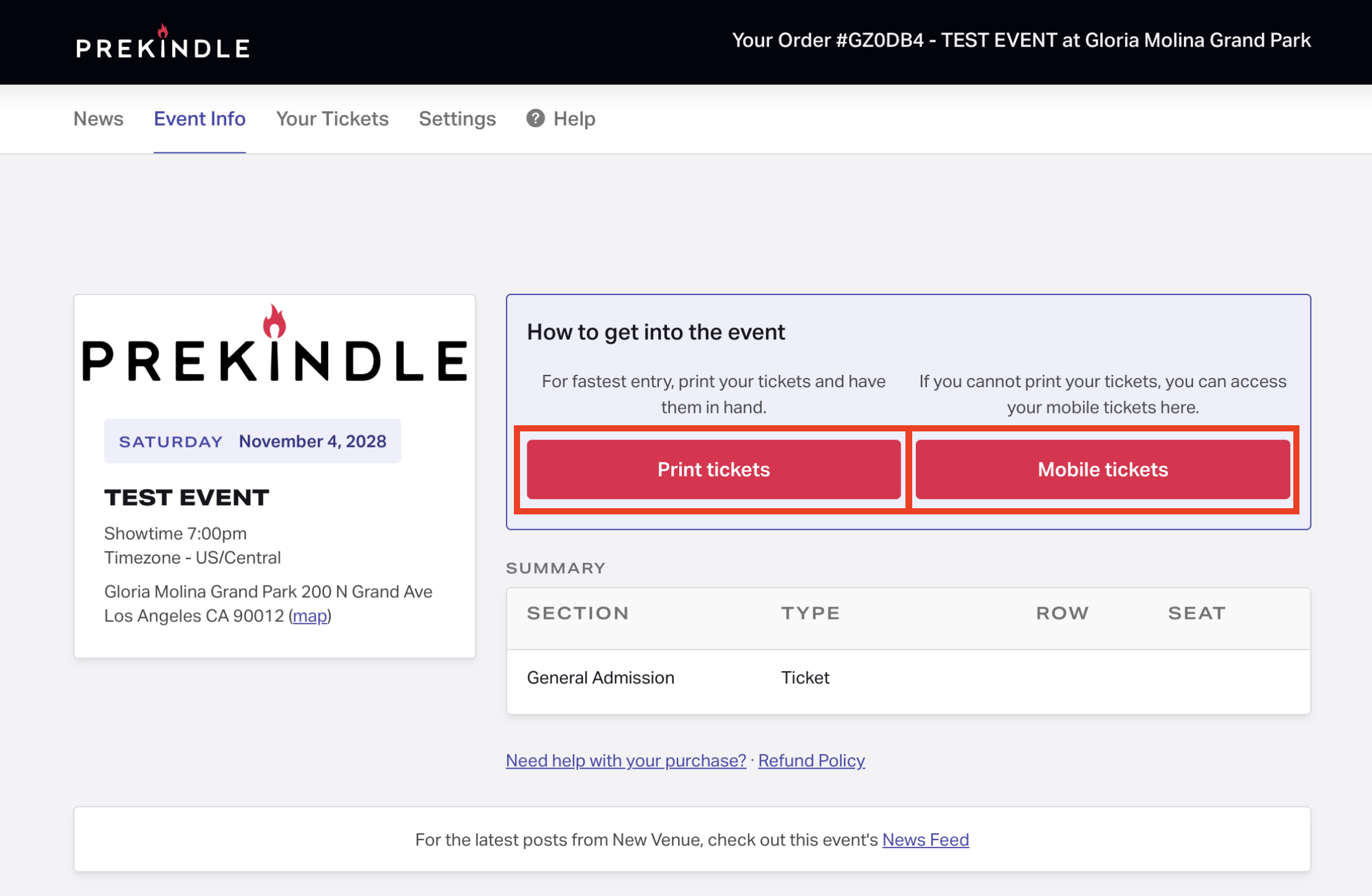
24 hours before the showtime, you will receive an email containing your ticket(s). You will also be able to access your tickets through the Event Info page once the email has been delivered.
Quick Tips
- Double-check your email inbox and spam folder for your ticket.
- Make sure you're checking the inbox for the same email address you used to place your order.
- Wait the full 30 minutes after the delivery window opens for your ticket to arrive.
Still Have Questions?
Log in at prekindle.com/support/portal using the email address used to complete your purchase and submit a customer support ticket for additional help.
Was this article helpful?
That’s Great!
Thank you for your feedback
Sorry! We couldn't be helpful
Thank you for your feedback
Feedback sent
We appreciate your effort and will try to fix the article